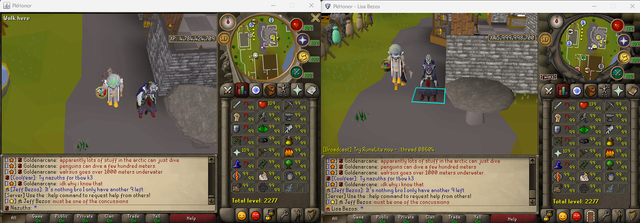
Iron adam wrote: Wed Jul 01, 2026 6:29 pm
using a preset leaves your character visually in the gear you had before. teleporting then makes you invisible
Strange, I'm unable to reproduce this behavior. Can you tell me exactly what you were wearing before, and what the preset includes exactly (closing bank yes/no, switching spellbook/prayerbook, what equipment exactly, and if applicable what inventory exactly)?
Some more bugs reported by players or noticed by myself, just putting them down here so I don't forget to check them out:
Arrow clue doesn't work
Hellhounds are invisible on the regular (non-runelite) client
Spellbook tab icons don't match the current spellbook
Iron adam wrote: Wed Jul 01, 2026 6:29 pm
using a preset leaves your character visually in the gear you had before. teleporting then makes you invisible
Strange, I'm unable to reproduce this behavior. Can you tell me exactly what you were wearing before, and what the preset includes exactly (closing bank yes/no, switching spellbook/prayerbook, what equipment exactly, and if applicable what inventory exactly)?
I was wearing:
Evil chicken head
Evil chicken wings
Evil chicken legs
Evil chicken feet
Ale of the Gods
Offhand Ale of the Gods
The Preset included an inventory, gear, and pet.
Preset 1 name: L0l
Close bank on load: Yes
Save spellbook: Yes
Save qp: yes
save pb: yes
Not sure if it is all hard clues or what but the one in my bank isn't showing the directional arrow
Red Chocolate Chicken (item id 43472) is invisible
Equipping Reindeer Hat (10722) turns you into some type of ghost warrior on the type half.. (kinda cool)
Re: RuneLite client released in beta
Posted: Thu Jul 02, 2026 2:56 pm
by Iron adam
not a bug but suggestion: make the plugin side bar be open by default. several players have reported difficulty finding it
Re: RuneLite client released in beta
Posted: Thu Jul 02, 2026 3:50 pm
by Mike
The following bugs have now been fixed in the latest RuneLite client release (or should be fixed anyway), make sure you have restarted your client and it shows "v338" in the bottom right of the login screen:
2b attack capes are invisible (the 2B attack cape is what caused Adam's preset bug)
Olm's sphere special attack is invisible
Maiden is missing attack animations *2nd run maiden is not attacking me at all*
Healthbar percentages are bugged/missing @ TOB
Bloat's attack, death and movement animations are missing
Verzik's throne/treasure room staircase is bugged
Buggy floor tiles when moving camera- Edgeville around max hit dummys + olm room
Yellow flashing arrow is missing above kebbits that are caught using a falcon
Ground item text not visible
With GPU Mode Enabled, xp tab open, unlock fps option enabled, xp drops move 2-3 times quicker than normal
Arrow clues don't work
Spellbook tab and teleport icons don't match the current spellbook
Chocolate Chickens are invisible
Equipping Reindeer Hat turns you into some type of ghost warrior
The RuneLite sidebar is now opened by default
Vet'ions Hellhounds have also been fixed in the regular client.
I was unable to reproduce this bug: Vanguards do not spawn when you enter the room
I was also unable to reproduce this bug, it looks fixed to me, please check again: Dagon hai hat still makes my head invisible
Iron adam wrote: Wed Jul 01, 2026 3:27 pm
I get like 7 fps on pkhonor runelite 117HD plugin. I get 60 fps no problem on osrs on max settings, so i know my machine is more than capable of it. there must be something wrong with the plugin
Can you tell me what operating system you use (Windows, Linux or MacOS)? That might help us pinpoint a possible cause. I'll probably have to come up with some sort of diagnostics tool to help figure out why it's so slow. Might be very tricky, but we'll try.
Does the GPU plugin seem to work, and does it seem to improve your FPS (compared to when GPU and HD plugins are both disabled)?
Iron adam wrote: Wed Jul 01, 2026 3:27 pm
I get like 7 fps on pkhonor runelite 117HD plugin. I get 60 fps no problem on osrs on max settings, so i know my machine is more than capable of it. there must be something wrong with the plugin
Can you tell me what operating system you use (Windows, Linux or MacOS)? That might help us pinpoint a possible cause. I'll probably have to come up with some sort of diagnostics tool to help figure out why it's so slow. Might be very tricky, but we'll try.
Does the GPU plugin seem to work, and does it seem to improve your FPS (compared to when GPU and HD plugins are both disabled)?
Windows 10 Home
Version 10.0.19045 Build 19045
CPU Intel i7-9700KF
GPU: NVIDIA RTX 2070S
GPU Plugin seems to work good. I'm getting 21-23 fps on resizable/fullscreen on 1440p monitor at 100% scaling for windows native display settings without using the GPU plugin. I get 60 fps using the GPU plugin on default settings. Increasing the draw distance beyond 29 starts to drop it off, which i guess is to be somewhat expected.
Re: RuneLite client released in beta
Posted: Thu Jul 02, 2026 5:16 pm
by Uim killerb
at olm if you click melee hand it dosent drag you to it
olm health bar is in the middel of olms face
Re: RuneLite client released in beta
Posted: Thu Jul 02, 2026 10:42 pm
by Iron adam
runelite zooms in on ur balls at the lowest angle, it should be centered on upper chest